How to Check Etisalat Balance? 4 Easy Methods
Well hello there! So you’ve found yourself with Etisalat and you’re wondering how to check etisalat balance? No worries at all! This article has got you covered.
In this article, we present you with 4 different methods to check etisalat balance. You can use any of the 4 methods to check the remaining etisalat balance.
Table of Contents
- 1. How to Check Etisalat Balance? 4 Methods
-
2. FAQs on Checking Etisalat Balance
- 2.1. How to fix an incorrect balance display?
- 2.2. How to fix USSD Code not working on Etisalat?
- 2.3. How frequently can I check my Etisalat balance?
- 2.4. Is there a fee for checking my balance?
- 2.5. Why is my Etisalat balance lower than expected?
- 2.6. Can I check my Etisalat balance from another phone?
- 2.7. Why can’t I see my balance on the Etisalat app?
- 3. Conclusion
How to Check Etisalat Balance? 4 Methods
Method 1: Via USSD Code
Do you want a quick and easy method to check Etisalat balance? Then the USSD code is your go-to option.
- Simply dial *121# from your Etisalat mobile.
- Voila! Your balance pops up instantly on your screen.
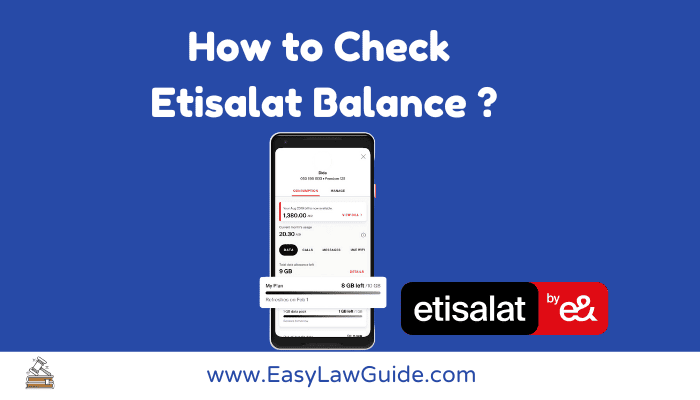
Method 2: Via Etisalat Mobile App
Control everything from the Etisalat mobile app with just a few taps.
-
Download Etisalat Mobile App.
Etisalat Android App
Etisalat iOS App - Log into the mobile app and your balance is just a tap away!
- Also, you can pay your bills, recharge, and much more directly from the app.
Method 3: Via Customer Care
Prefer speaking to a real person? Etisalat customer care can help you check your balance.
- Dial +971 800 1010.
- Follow the voice prompts to hear your balance.
- Email support is also available at [email protected].
Method 4: Via Etisalat Website
- Visit the Official website of Etisalat
- Log in to your account and view your balance instantly.
FAQs on Checking Etisalat Balance
How to fix an incorrect balance display?
An incorrect balance may be due to pending charges or recent usage. Contact Etisalat customer care for clarification.
How to fix USSD Code not working on Etisalat?
If the USSD code isn’t working, check if you’re dialing it correctly. If it’s still not responding, there might be network issues. Try again later or contact customer care.
How frequently can I check my Etisalat balance?
You can check your Etisalat balance as many times as you like. There is no restriction.
Is there any fee for checking Etisalat balance?
No, checking your Etisalat balance is completely free of cost.
Why is my Etisalat balance lower than expected?
This may happen due to data usage, call charges, or pending transactions. Contact customer support if unsure.
Can I check my Etisalat balance from another phone?
Yes, you can check your balance via the Etisalat website or mobile app using another phone.
Why can’t I see my balance on the Etisalat app?
This might be due to app glitches or network issues. Try updating the app or checking your balance via another method.
Related Posts:
Conclusion

Four simple ways to check Etisalat balance make it easy to stay informed. Whether you use USSD, the mobile app, customer care, or the website, help is always just a step away.