How to Update Emirates ID in Etisalat? 3 Step Process
Hello, everyone! We hope you’re enjoying your day. In today’s post, we’re going to dive into a vital yet often overlooked task: updating your Emirates ID in Etisalat.
If you’ve been scratching your head over this, worry no more! We’ve got your back. From start to finish, we’ll guide you through the process with easy-to-understand steps.
Whether you’re new to the UAE or have been here for a while, keeping your information current with Etisalat is essential. As one of the country’s leading telecommunications operators, they require up-to-date information to provide you the best service.
So, sit back and get comfortable. Grab a cup of coffee if you’d like. Let’s navigate this together.
By the end of this post, you’ll know exactly how to update Emirates ID in Etisalat in a jiffy. So, without further ado, let’s get started!
Table of Contents
How to update Emirates ID in Etisalat?
Step 1: Gathering Necessary Documents
Before starting the process, ensure you have the following documents:
- An updated Emirates ID.
- The Etisalat number that needs an update.
These are necessary for identification and verification.
Step 2: Initiating the Update Process
You can initiate the update process through the following methods:
Update Emirates ID via Etisalat Mobile App
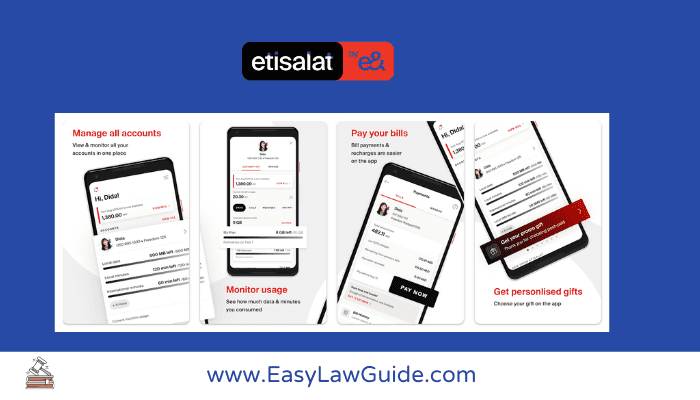
Update Emirates ID via Etisalat Website
- On the Etisalat website, log in to your account using UAE Pass.
- Go to “My Account” → “Personal Details” → “Update Emirates ID”.
- Follow the steps provided.
Update Emirates ID via Etisalat Customer Service
- You can also call Etisalat customer service at 101.
- After choosing English as your language.
- Press 1 for mobile services then press 4 for other services and then press 2 to update your Emirates ID.
Step 3: Verification
After initiating the update process, Etisalat will verify the details provided. Once verified, your Emirates ID will be successfully updated.
Frequently Asked Questions
Can I Update My Emirates ID Without a New ID?
No, you cannot update your Emirates ID without having a new one. You must possess a new ID to start the process.
How Long Does It Take to Update My Emirates ID?
The update process duration varies but typically completes within 24 hours after verification.
Will I Lose My Service If I Don’t Update My Emirates ID?
Failure to update your Emirates ID might lead to service disruption, as per Etisalat’s policy.
Related Posts:
- Emirates ID Fine Check In UAE
- Emirates ID Status
- Emirates ID Renewal
- Estafser?
- How to Change Mobile Number in Emirates ID?
Conclusion
And there you have it, folks! Updating your Emirates ID in Etisalat isn’t as tricky as it might initially seem. With the simple steps we’ve walked you through, you should now be able to confidently navigate the process of updating Emirates ID in Etisalat.
Remember, keeping your information current is not only important, but also essential. It ensures you continue to enjoy the top-notch services that Etisalat offers without any interruptions. Moreover, it saves you from potential headaches down the line.
We hope this guide of how to update emirates id in etisalat was helpful and has simplified the process for you. Don’t hesitate to revisit these steps anytime you need a refresher. Stay informed and keep your information updated to get the best out of your Etisalat services.
Thank you for joining us today, and until next time, take care and stay connected!